

Archive position — measured, not model output
1 like on Devpost
505 of the 7,850 archived projects have more likes, and 1,758 share exactly 1 — so this project's #1,994 place in the like-ranked listing is a tie-break inside that group, not a ranking.
Projects (log scale)
Likes on Devpost. ▲ marks this project's group.
Show the figures
| Likes | Projects | Share of archive |
|---|---|---|
| 0 | 5,587 | 71.2% |
| 1 | 1,758 | 22.4% |
| 2 | 284 | 3.6% |
| 3–4 | 132 | 1.7% |
| 5–9 | 75 | 1.0% |
| 10+ | 14 | 0.2% |
 User Stories BotA demo video on every pull request
Get a demo video on every new feature
GitHub App that watches your pull requests and records a narrated, captioned demo.
Save time on demo prep and make informed decisions faster with a video walkthrough of every new feature.
Executive Summary
What the company appears to be
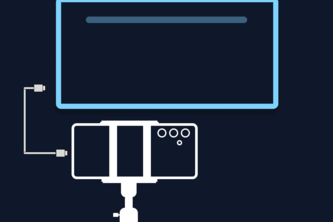
STICam is a self-reported open-source project that turns an Android phone into a PC webcam using Wi-Fi or USB. The author states it offers AI auto-framing (using on-device face tracking), full manual camera controls, and offline operation — all without subscriptions, timers, or cloud usage.
What changed
The project was originally built prior to the OpenAI 2026 hackathon submission. During the hackathon, the author used Codex (GPT-5.6) to improve security, fix documentation, and add automated tests. The description indicates a rework toward version 2.0 with encrypted transport and other enhancements.
Single most important open question
Is there any evidence of actual user adoption or traction beyond the author’s own use case?
What The Product Actually Is
The description states that STICam:
- Turns an Android phone into a PC webcam over Wi-Fi or USB.
- Works with Zoom, Teams, Google Meet, and OBS.
- Uses on-device AI face tracking (468-point mesh) for auto-framing.
- Offers full manual camera controls (ISO, focus, exposure).
- Records without quality loss.
- Operates fully offline, with no cloud or subscription required.
It also includes:
- An Android client built in Kotlin, Camera2, Jetpack Compose, and MediaPipe.
- A Windows host written in C#/.NET using FFmpeg for H.264 decoding and virtual camera bridge.
- Low-latency H.264 streaming over TCP via USB or Wi-Fi.
Inference The product is described as a tool that allows users to repurpose their Android phones as professional webcams, with an emphasis on AI-driven framing and offline functionality.
Positioning & Claim Evolution
The author positions STICam as:
- A free alternative to paid webcam apps.
- An open-source solution that avoids paywalls and time limits.
- A tool for people who can’t afford a webcam but also for those tired of poor laptop camera quality.
- A way to use the better camera in your pocket instead of the low-quality built-in one.
Inference The positioning evolved from solving a personal problem (being broke in 2020) into a broader critique of how paid webcam apps lock out users. The author claims it’s not just for low-income users but for anyone who wants better framing without compromise.
Target Customer & ICP
The description states:
- Initially built for people who can’t afford a webcam.
- Later recognized that almost everyone already owns a better camera than what they’re using.
- Intended to help users who are tired of poor framing or washed-out video on calls.
Inference The target customer is likely individuals (students, remote workers, freelancers) with an Android phone and a need for a higher-quality webcam experience — especially those dissatisfied with built-in laptop cameras or paid webcam software.
Business Model & Pricing Evidence
The description states:
- STICam is free.
- No subscriptions or timers.
- Fully offline operation.
- No cloud usage.
Inference There is no evidence of a business model beyond the author’s own development and distribution. The project is described as open-source and non-commercial.
Technical & Delivery Signals
The description states:
- Built with Kotlin, Camera2, Jetpack Compose, MediaPipe.
- Windows host uses C#/.NET, FFmpeg, virtual camera bridge.
- Streaming protocol supports Wi-Fi or USB.
- Uses on-device 468-point face mesh for AI tracking.
- Encrypted transport added via Codex during hackathon.
- MP4 recording and CI/dependency locking implemented.
Inference The technical stack shows a solo developer leveraging modern tools (MediaPipe, FFmpeg, .NET) to build a cross-platform solution. The addition of encryption and automated tests suggests some level of maturity in development practices.
Traction & Maturity Signals
The description states:
- The project was submitted to the OpenAI 2026 hackathon.
- It has a GitHub repository (not shown here).
- A security rewrite was done using Codex.
- There is mention of a v1.1.0 hardening branch and a planned v2.0 rework.
Inference There is no evidence of user adoption, downloads, or revenue. The project appears to be in early development stages with no public metrics or customer base.
Competitive Context
The description states:
- STICam aims to compete with paid webcam apps that cap features or charge subscriptions.
- It offers AI auto-framing similar to premium tools.
- It is positioned as a free, offline alternative.
Inference The competitive landscape includes existing webcam software (e.g., DroidCam, ManyCam), which may offer similar functionality but often include limitations or paid tiers. STICam’s main differentiator appears to be its open-source nature and lack of restrictions.
Open Questions & Risks
- No traction evidence: No data on users, downloads, or market response.
- Solo developer: Only one member listed; no team structure or support infrastructure.
- Unverified claims: All descriptions are self-reported and unverified.
- Limited scope: Currently only supports Android and Windows — no iOS or macOS clients.
- No monetization strategy: No indication of how the project might scale beyond personal use.
Questions the description leaves open
- What is the actual user base or adoption rate for STICam?
- Are there any plans to monetize the product, or is it purely open-source?
- How does the AI face tracking perform under different lighting conditions?
- Has the project been tested across multiple devices and operating systems?
- What are the long-term maintenance plans for the project?
- Is there a roadmap beyond v2.0, including iOS support?
Overall Assessment
Not evidenced.
There is no evidence of revenue, customers, or traction to assess commercial viability. The project is described as open-source and self-developed by one person. It does not appear to have a formal business model or investment-ready structure.
The author claims the tool competes with paid webcam apps in terms of features but lacks any data on user engagement or market penetration. Given the lack of verified metrics, this project cannot be evaluated for potential investment or partnership opportunities at this stage.
User Stories BotA demo video on every pull request
Get a demo video on every new feature
GitHub App that watches your pull requests and records a narrated, captioned demo.
Save time on demo prep and make informed decisions faster with a video walkthrough of every new feature.
Source
Submitted to the OpenAI 2026 hackathon on Devpost. Project home on Devpost. Back to the full gallery on Devpost.
This competitive analysis was produced by top-founders.com (opens in a new tab)
Generated by a language model from this project's public Devpost page — its tagline, the author's own write-up and any built-with tags listed there — as captured in August 2026. Short quotations are the author's words. It is an opinion on the idea as a business, not on the people behind it, and it reflects the description as published then. If the project has moved on, request a correction below. The analysis is not independent research and contains no verified traction, revenue or customer data.
An independent guide by KFG International LLC — not affiliated with, endorsed by, or connected to Devpost or OpenAI.